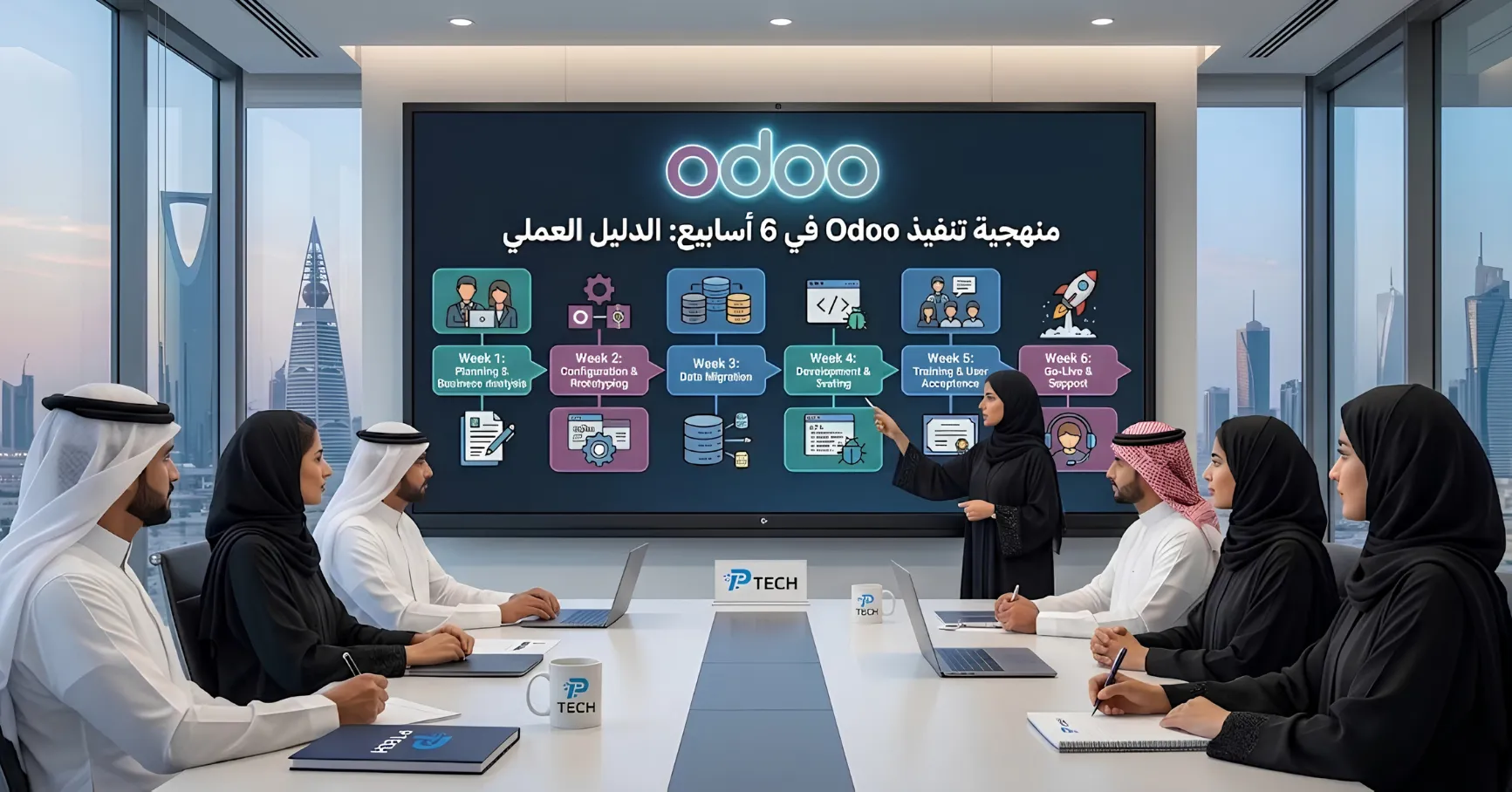
Odoo can be successfully implemented in roughly 6 weeks, but that timeline assumes specific conditions: relatively standard business requirements, limited custom development, and an internal team dedicated to the project. More complex projects (multi-stage manufacturing, numerous integrations, more than 50 users) realistically take 3 to 9 months. This guide explains how to achieve the fastest possible go-live without sacrificing implementation quality.
Is 6 Weeks Really Realistic?
Honestly: yes, but not for every project. According to Odoo's own data, more than 95% of Odoo implementation projects are rated successful when a disciplined methodology is followed, compared with a failure rate exceeding 50% for traditional ERP projects in general. However, the 6-week pace is best suited to small and mid-sized businesses (typically fewer than 50 users) that rely on Odoo's standard configuration without deep custom development, and whose existing data is in reasonably clean shape. If your company runs complex multi-stage manufacturing, dozens of external integrations, or more than 50 users, a realistic expectation is closer to several months, and that is not a failure; it simply reflects the complexity of the project.
The Golden Rule Before You Start: Standardize First, Customize Later
This principle determines whether the entire timeline succeeds or fails: Odoo's standard architecture typically covers about 90% of business requirements through standard configuration, ready-made apps, add-on modules from the App Store, and Odoo Studio for no-code customization. Actual custom development should be limited to just 5-10% of the project scope, reserved for critical gaps that cannot be covered any other way. Every additional customization beyond that share slows the project down, complicates future upgrades, and raises costs, often without delivering equivalent operational value.
Key Roles to Define Before Week 1
Executive Sponsor: a senior management stakeholder with the authority to make decisions within 24 hours on scope, budget, and timeline. Projects without a single, clear executive owner see twice as many change requests and significantly longer implementation times than projects with clear ownership.
Internal Single Point of Contact (SPoC): an internal employee who understands the processes of every department, communicates effectively, and has direct access to senior management when needed. This person is the main communication bridge between you and your implementation partner throughout the project.
Key Users: at least one representative from each department who attends every configuration session, signs off on technical decisions, and later performs user acceptance testing. Allocate 20-30% of their actual working time to the project during the implementation period.
Implementation Partner Project Lead: the person technically responsible for configuration and customization. Ideally, this should be the same person who attended the initial discovery call, not someone different who is handed the project later.
The Timeline: Week by Week
Week 1: Kick-off & GAP Analysis
Despite its apparent brevity, this is the most important phase of the entire project. It includes structured workshops with every department head to document current processes, pain points, and actual workflows: not how things are supposed to work, but how they really work on the ground. The final deliverable for this week is a scope document signed by all stakeholders, not verbal agreements. Any ambiguity left here turns into compounded delays in the following weeks.
Week 2: Solution Design and Initial Configuration
The discovery findings are turned into a concrete implementation plan: selecting exactly which apps are needed, designing workflows and access rights, and starting the actual configuration on a separate staging environment rather than directly on the live system. The team begins setting up the chart of accounts, product categories, and the user and permissions structure.
Week 3: Advanced Configuration and Data Audit
Configuration of the selected apps continues while a parallel audit of existing data begins: exporting customer, vendor, product, chart of accounts, and opening balance data from your current system (even if it is disorganized), and identifying duplicates, missing classifications, and non-standard units of measure. An important caution: in manufacturing-oriented companies, data cleansing alone often consumes 20-30% of total project effort, roughly double what most initial plans allocate to this specific task. Ignoring or underestimating this step is the number one documented cause of budget and schedule overruns in ERP projects.
Week 4: Trial Migration and Integrations
A full trial data migration (not yet the final one) is performed to verify the accuracy of all figures before the actual migration, with balance reconciliation to ensure no data is lost or duplicated. In parallel, any necessary external integrations (payment gateway, bank account, e-commerce platform, shipping provider) are connected, with the type of each API and the responsible contact on the other side identified in advance to avoid surprises at this particular stage.
Week 5: User Acceptance Testing and Training
This is where the project's first "moment of truth" happens: key users run real scenarios from their daily work on the configured system (User Acceptance Testing, or UAT), rather than just clicking around the interface at random. This is the stage where you discover that the purchase approval workflow doesn't match reality, or that a particular invoice template is missing a required field. Catching these issues now costs one developer day, whereas discovering them after go-live costs a full week, along with the team's trust in the new system. In parallel, tailored training sessions begin for each department based on its actual role in the system.
Week 6: Final Migration, Go-Live, and Hypercare
After successful testing and training, the final migration of live data (not trial data) is carried out, followed by the official Go-Live. The first days after launch are dedicated to Hypercare: immediate response to any urgent operational issue, with direct or near-direct presence from the implementation team, to prevent teams from reverting to their old tools (parallel Excel spreadsheets) because of minor friction in the early days.
Important reminder: choose your go-live date carefully. Avoid fiscal year-end, your peak sales season, or any period close to an important audit for a major client. Going live during your quietest operational month greatly reduces the cost of any mistake compared with launching at peak activity.
The Most Common Reasons Implementations Fail or Run Late
Compressing or skipping the discovery phase: projects that complete a full, uncompressed discovery reach go-live on schedule at a noticeably higher rate than those that shortcut or skip this phase.
Underestimating data cleansing: as mentioned above, this item alone accounts for a large share of budget and schedule overruns in real-world projects.
Over-customization: exceeding the recommended 5-10% share of custom development slows the project and complicates future maintenance, often without any real need.
Lack of a truly committed executive sponsor: projects treated as purely technical initiatives, without clear business ownership, produce systems that nobody trusts afterward.
Constant internal postponement: a large portion of ERP project delays in general results from the project losing internal priority amid the team's daily workload, not from an actual technical problem.
Choosing a Go-Live Strategy: Big Bang or Phased?
Big Bang: activating all required apps together on a single date, relying on standard configuration with minimal customization. This suits small businesses with relatively simple requirements that want to be productive within weeks rather than months, and it is the approach that matches the 6-week timeline described above.
Phased Rollout: activating one or two apps first (for example, Accounting and Sales), then gradually adding more (Inventory, Manufacturing) in later phases. This suits companies with more complex workflows, or those that prefer to reduce operational risk through gradual change rather than a complete transformation all at once.
After Go-Live: Continuous Improvement
Go-live is not the end of the project; it is the real beginning. Once daily operations stabilize (usually within 2-4 weeks of launch), what is known as "Phase Two" begins: additional enhancements, advanced automation, or activating new apps that were not essential for the initial launch, rather than trying to cram everything possible into the first project and delaying go-live unnecessarily.
Conclusion
The 6-week timeline is not a marketing promise but the logical result of strict commitment to two principles: keeping customization to the bare minimum necessary, and never cutting corners on discovery and data cleansing, despite the temptation to rush them to save apparent time. Companies that try to shortcut these two phases in particular save a few weeks at the start, but pay for it many times over later in the form of data errors, internal adoption resistance, and shaken confidence in the new system.
Frequently Asked Questions
Can any company really implement Odoo in 6 weeks? Not every company. This timeline suits small and mid-sized businesses with relatively standard requirements and limited customization. More complex projects (multi-stage manufacturing, numerous integrations) realistically need several months.
What is the most important phase of an Odoo implementation? The discovery and GAP Analysis phase in Week 1, despite its apparent brevity. Any ambiguity or haste here translates into compounded delays across the rest of the project.
What share of custom development is acceptable in a typical Odoo project? It is recommended not to exceed 5-10% of the total project scope, since standard configuration and ready-made apps usually cover about 90% of actual business requirements.
Why does data cleansing take so long? Because real-world data at most companies contains duplicates, missing classifications, and inconsistent units of measure accumulated over years, making cleansing and reconciliation before migration a far heavier task than most initial project plans anticipate.
Do I need an in-house technical team to implement Odoo? Not necessarily a full technical team, but you definitely need a single internal point of contact (SPoC) who understands your company's processes and has direct access to management, as well as an executive sponsor who can make quick decisions throughout the project.