Odoo Manufacturing & MRP: Managing Factories and Production
Quick answer: Odoo Manufacturing (also known as MRP, Material Requirements Planning) is the production management app within the Odoo ecosystem. It covers everything from defining a product's "recipe" (the bill of materials) to automated production scheduling, shop floor tracking, quality control, and the actual cost of every manufacturing order, all connected automatically to inventory, purchasing, sales, and accounting on a single database.
Bill of Materials: The Core "Recipe" for Any Product
The bill of materials (BoM) is the foundation of every manufacturing process in Odoo: a document that specifies exactly which components, and in what quantities, you need to manufacture a given product, and sometimes the required operations as well. A simple distinction makes it easy to grasp: the bill of materials is the "recipe," and the routing is the "cooking method." The first defines the ingredients, while the second defines the sequence of operations that turns them into a finished product.
Odoo supports several types of bills of materials to suit each manufacturer's needs:
Manufacture this product: the standard BoM for direct in-house manufacturing.
Multilevel BoMs: if your finished product uses an intermediate component (a sub-assembly) with its own bill of materials, Odoo automatically "explodes" the entire hierarchy and calculates material requirements across all levels, with no limit on the number of levels.
BoMs by variant: instead of creating a separate BoM for each size or color, you can define a single BoM with rules that determine which components are used based on the selected product variants.
Kits: for products sold as a set of separate components that customers assemble themselves. No actual "manufacturing" is recorded; stock is simply deducted for each component at the time of sale.
By-products: any additional output produced alongside the main product during manufacturing (such as pomace left over from winemaking) can be recorded and tracked within the same bill of materials.
You can also attach detailed instructions for each manufacturing operation (a PDF file, a link to a presentation, or descriptive text) directly to the bill of materials, so production workers can consult them at the moment of execution.
Work Centers & Routing
A work center is the physical location within the factory where a specific manufacturing operation takes place (an assembly line, a cutting machine, a packaging station). The routing defines the sequence of work centers and operations a product passes through from the start of production until completion. You can define primary and alternative routings, so the sequence changes automatically based on batch size, product type, or the requirements of a specific order.
This separation between the "recipe" and the "method of execution" provides great flexibility: you can change the production sequence or add a new work center without affecting the core component list, and vice versa.
Manufacturing Orders and Work Orders
Manufacturing Order: created automatically based on a customer order, an automatic reordering rule, or demand forecasts, and represents a commitment to produce a specific quantity of a given product.
Work Orders: split a single manufacturing order into sub-stages according to the defined routing. They can run sequentially or in parallel depending on the nature of the process, with real-time status updates for each stage (not started, in progress, paused, done) to provide full visibility into production status at any moment.
The system also supports both Make-to-Order and Make-to-Stock production in the same facility at the same time, as well as Unbuild Orders to recover reusable components from a previously assembled product.
Automated MRP Scheduling: How Does It Actually Work?
This is the "brain" of the entire planning process, and it follows clear logic:
Demand analysis: gathering all requirements from sales orders, sales forecasts, and safety stock rules.
Available stock check: deducting quantities physically on hand and scheduled receipts from total requirements.
Net requirements calculation: determining the quantities that actually need to be manufactured or purchased after deducting what is available.
Order generation: automatically creating manufacturing orders and purchase orders with the right dates for each requirement.
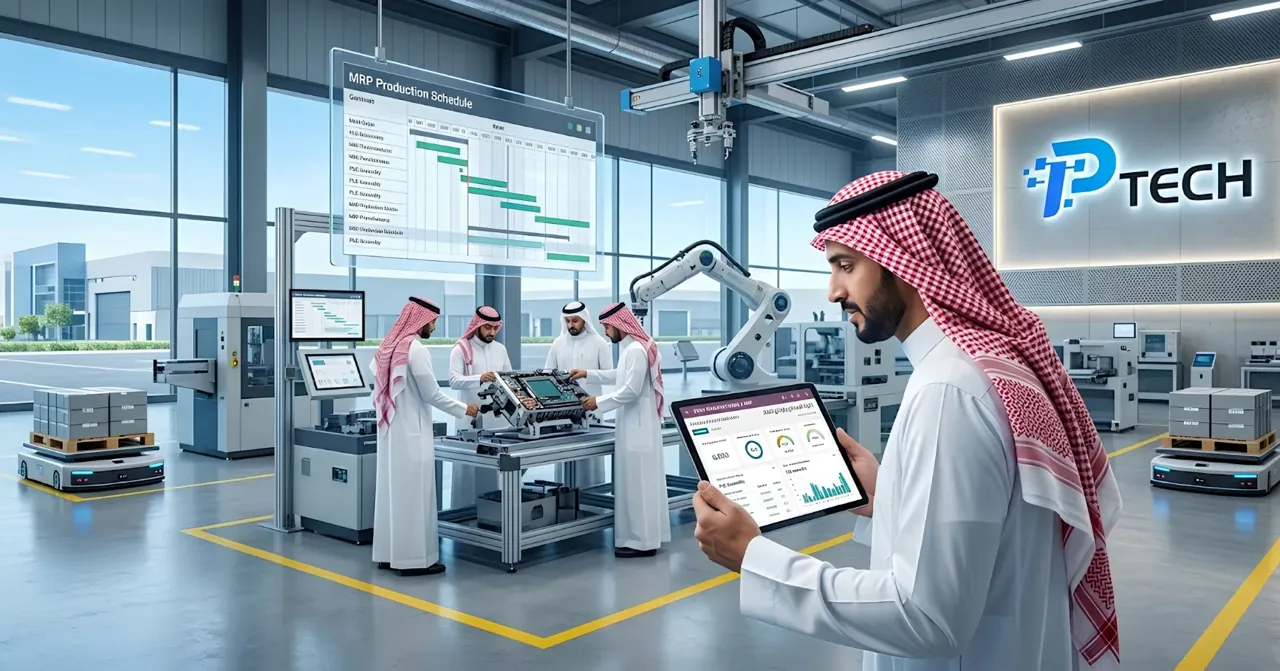
Capacity check: confirming that work centers can actually absorb the scheduled production volume within their available capacity.
Most manufacturers are advised to run the MRP scheduler daily, increasing the frequency for very high-volume operations, so requirements are automatically recalculated each time based on the latest supply and demand data.
Quality Control
Odoo lets you set up automatic quality checkpoints at different stages of the production cycle: when receiving raw materials, during manufacturing, or when the finished product is complete. These checks can be linked directly to work order steps, so a worker cannot close a production stage without recording the required inspection result. This ensures full documentation of any quality issue that arises later and lets you trace it precisely back to its source.
The Shop Floor Interface
A simplified interface designed specifically for tablets in a real production environment, allowing production workers to:
Log in to their work center and see only the operations assigned to them.
Start, pause, or finish each operation with a single tap, with the actual time spent recorded automatically.
Scan barcodes to record component consumption without manual entry.
Report quality issues or maintenance requests directly from the workstation without walking over to a separate computer.
Workers typically need only a day or two to become proficient with this simplified interface, since it does not require navigating the full Odoo interface and shows only what the worker needs to see in the moment.
Subcontracting
For any manufacturer that relies partly on external parties to carry out certain production stages, Odoo supports several subcontracting models: the basic model (where the subcontractor receives the components and produces the finished product), resupplying the subcontractor (providing components to them directly), or dropshipping from the vendor straight to the subcontractor without passing through your warehouse at all, eliminating unnecessary logistics steps.
Costing and Full Traceability
Manufacturing order cost: calculated automatically based on the cost of each component used plus the cost of operations (labor or machine time), so you know the exact actual cost of every unit produced, not just a general estimate.
Full traceability with Lots & Serial Numbers: provides a complete upstream traceability report of all components used in any given finished product. This is a critical capability for any industry that needs to recall defective products precisely (food, pharmaceuticals, or sensitive industrial goods) without needlessly pulling entire production batches.
Overall Equipment Effectiveness (OEE): analyzes work center loads, productivity losses, and the actual efficiency rate of each piece of equipment, so you can pinpoint where bottlenecks really occur instead of guessing.
Engineering Change Management (ECO)
For any product whose design evolves over time, Odoo provides an Engineering Change Orders system with a Kanban interface to track every proposed change to a bill of materials or production routing. You can compare differences between versions, merge several proposed changes to the same bill of materials, and keep a complete history of every change along with its related documents.
AI in Manufacturing in 2026
Platforms like Odoo are moving toward adding an AI layer on top of traditional MRP tools: more accurate demand forecasts, automatic optimization of production schedules based on historical patterns, and proactive alerts about stock shortage risks before they turn into an actual production line stoppage. These capabilities are expanding gradually with each new release and are worth following closely for any manufacturer planning a long-term investment in the system.
Who Uses Odoo Manufacturing?
The system suits many types of manufacturing operations:
Assembly operations that combine purchased components into finished products.
Discrete manufacturing, producing separate units in specific batches or lot numbers.
Process manufacturing based on recipes, formulas, and by-products (such as the food and chemical industries).
Contract manufacturers that run production stages outsourced to them by other customers.
How to Get Started with Odoo Manufacturing
Start with a simple bill of materials for a single product before moving on to complex multilevel structures.
Define the actual work centers in your facility and their realistic production capacity.
Enable work orders gradually if you need detailed tracking of each production stage, rather than relying on a single simple manufacturing order at first.
Add quality checkpoints only at critical stages first, then expand them later based on actual need.
Train your production team on the simplified Shop Floor interface rather than the full Odoo interface to speed up adoption on the factory floor.
Run the MRP scheduler regularly (usually daily) to ensure the accuracy of automatically generated manufacturing and purchase orders.
Conclusion
Odoo Manufacturing transforms manufacturing from scattered Excel files and manual estimates into a fully connected system: from the product "recipe" to automated production scheduling, through quality control and actual costing, all the way to full traceability of every component used. The real value shows most clearly in factories that need a direct link between production, inventory, purchasing, and accounting on a single database, instead of separate systems that require constant manual reconciliation.
Frequently Asked Questions
What is the difference between a bill of materials (BoM) and a routing? The bill of materials defines "what" you need to manufacture the product (components and quantities), while the routing defines "how" the product is actually manufactured (the sequence of operations and the work centers used).
Does Odoo support multilevel manufacturing for complex products? Yes, with no limit on the number of levels. If your product uses an intermediate component with its own bill of materials, Odoo automatically explodes the entire hierarchy and calculates all requirements automatically.
Can any defective product be traced back to the specific production batch it came from? Yes. Using Lots & Serial Numbers, Odoo provides a complete upstream traceability report linking any finished product to all the specific components used to manufacture it.
Is Odoo Manufacturing suitable for small factories or only large ones? Both. Small factories can start with a simple bill of materials and a single manufacturing order, then gradually expand to multiple routings, detailed work orders, and advanced quality control as operations grow.
Does running MRP scheduling require daily manual intervention? No. The core idea is that the scheduler runs automatically based on predefined rules (demand, stock levels, lead times). Running it periodically (usually daily) is enough to recalculate requirements and generate the necessary orders without constant manual intervention.